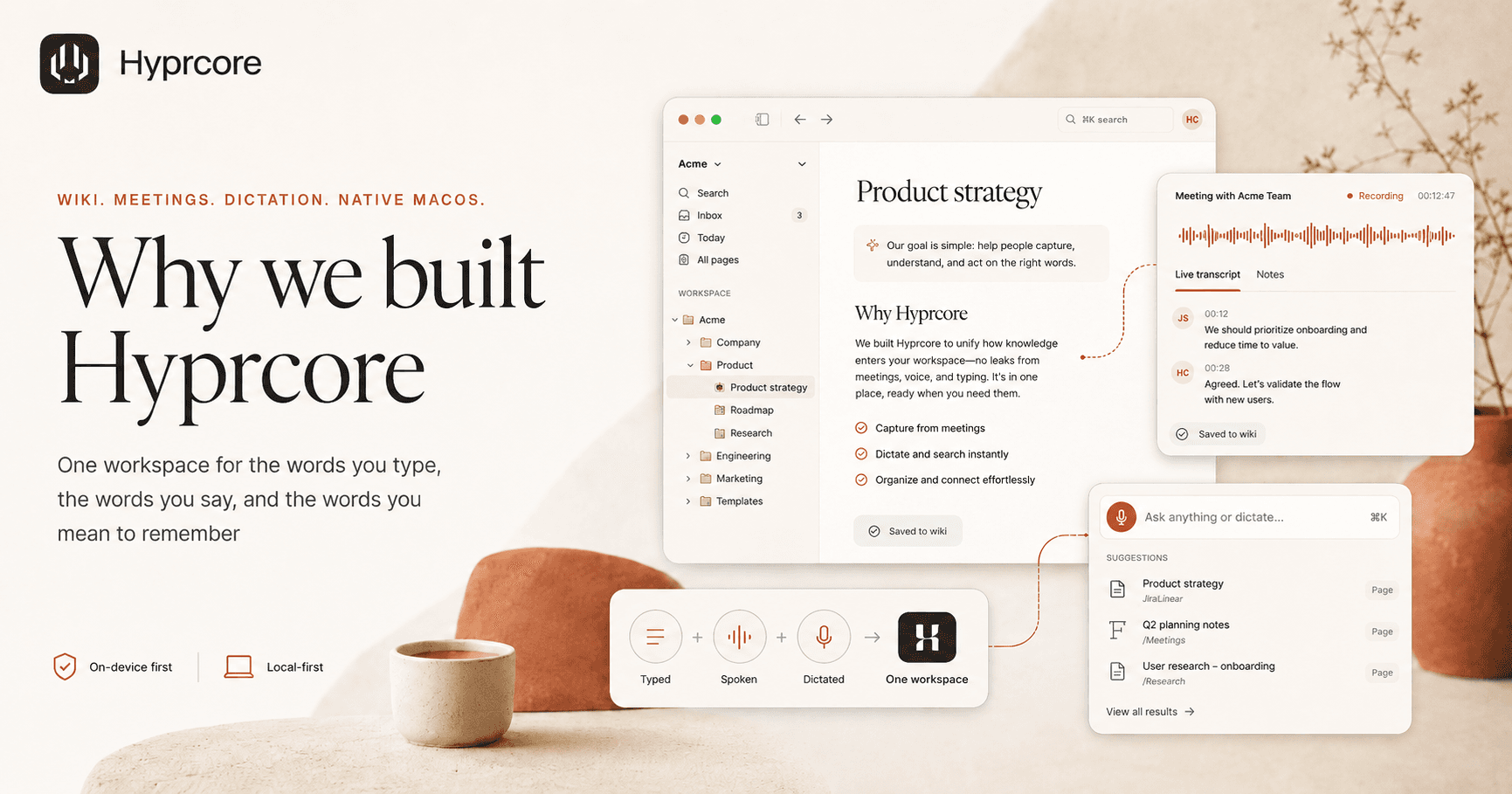
Why we built Hyprcore: one workspace for the words you type, the words you say, and the words you mean to remember
A wiki, a meeting recorder, and a dictation app — together in one native macOS workspace. Here is the problem that made us combine them, and why that combination matters more than any one feature.
A modern knowledge worker speaks more words at their computer than they type. They run six meetings a day, dictate a Slack message between two of them, and try to write a doc in the cracks. Then, twenty minutes later, they cannot find the decision that just happened.
The tools we use have not caught up to the way we actually work. Notion holds the docs. Otter holds the meetings. Wispr Flow holds the dictations. The browser holds the AI chat. Search across them is a fantasy. The "second brain" people keep promising is, at best, four disconnected first brains.
Hyprcore is our attempt at the simple, slightly stubborn idea: every word that comes out of your mouth or your keyboard belongs in the same place. One wiki. Three ways in.
The three-tab problem
Watch yourself the next time you finish a meeting. You probably do some version of this:
- 01Open the meeting tool to copy the transcript.
- 02Open the notes tool to start a new page and paste it in.
- 03Open a chat tool to ask an AI to summarize what you just pasted.
- 04Paste the summary back into the notes tool.
- 05Lose track of which version is canonical six hours later.
Each of those tools is fine in isolation. The cost is the seams. Every copy-paste is a chance to lose context, miss an action item, or break a link. The decisions made in your calls — the actually-load-bearing parts of your work — end up scattered across products that do not know about each other.
What we wanted from a single tool
We did not start with a feature list. We started with a list of things we refused to give up.
- Local-first by default. Dictation should not need an internet connection. Meeting transcripts should live on disk, in plain markdown, in a folder you can open in Finder.
- Native to the Mac. Not Electron, not a web wrapper. Apple silicon does GPU-accelerated speech-to-text faster than most cloud services — that should be the floor, not a premium feature.
- A real wiki, not a notes app. Pages, folders, icons, cover images, and a tree that works the way you actually think. Linking is non-negotiable.
- A command palette that searches everything. Calls, notes, dictations, all of it. ⌘K to anywhere in under 200ms.
- AI as a citizen, not a chatbot. Summaries, action items, and answers should live inside your pages and link back to the source line of the transcript.
- Encryption when sharing. Meetings sync end-to-end encrypted, or they do not sync. There is no third option.
A few of these are easy to say and hard to ship. Local-first speech-to-text is a different engineering problem than calling an API. Speaker diarization on-device is a research project. A command palette that stays under 200ms with thousands of pages takes a real index. We spent more time on the floor of those features than the ceiling.
How the three pieces fit
1. The wiki
Every page in Hyprcore is a markdown file with YAML frontmatter, stored on your disk. You can pick an emoji icon and a gradient cover for any page — note, folder, or meeting. The sidebar is a real folder tree with a workspace switcher. ⌘K opens anywhere and searches every title in real time, with recents and base actions.
The wiki is the substrate. Everything else writes into it.
2. Meetings
Meetings record into a floating recorder window — a small pill you can drag, expand into a panel with three tabs (live transcript, notes, ask), and collapse back out of the way. Traffic-light controls. System and microphone capture. Neural acoustic echo cancellation. Speaker diarization. When you stop the meeting, the panel becomes a wiki page with the transcript, an AI summary, action items, and a video embed under the meta — all linked into your tree.
You can edit the prompt the AI uses to summarize each meeting type. A 1:1 should not be summarized like a sprint planning. Templates are yours, not ours.
3. Dictation
A global push-to-talk shortcut works in any app. Hold the key, talk, release. Transcribed text lands at your cursor. Six local speech models — Whisper Small, Medium, Turbo, Large, and Parakeet V3 — run on Apple silicon. No round-trip to a cloud service. Your words do not leave your machine for dictation-only use.
Cloud providers are available too, for people who want them. The default is local.
Why all three, in one place
A wiki without dictation is slower than your thinking. A meeting recorder without a wiki is a graveyard for decisions. A dictation tool without a place to land is a transcription factory you have to clean up by hand.
Together, they compound. Dictation lands in the wiki. Meetings become wiki pages. ⌘K searches across all of it. The AI you ask "what did we decide about pricing?" answers from your calls, your notes, and your dictations at once, with citations that jump to the source line.
What we are not
We are not a meeting bot that joins your calls from a Zoom room. We do not store your audio in a vendor cloud you cannot inspect. We are not training models on your meetings — that is in the terms because we mean it.
We are also not trying to be a Notion replacement for the entire org. Hyprcore is a workspace for one person and the small team they collaborate with most. If you are running a 200-person knowledge base, you have other tools. If you are running a 200-person knowledge base from inside a 6-person engineering pod, we are probably the right shape.
Where we go from here
The current version of Hyprcore — v0.7.0 — already feels like the product. The floating recorder, the page chrome, the command palette, and the wiki are all in. The roadmap from here is mostly making the seams between them invisible: faster search, more linking patterns, better summaries, MCP exposure to other AI tools so the wiki you are building shows up wherever you happen to be working.
If any of that resonates — if you have ever opened your laptop, looked at three different note apps, and quietly given up on finding what you said yesterday — we built this for you. Try it out. Tell us what is missing.
There are a lot of words floating around your day. They should all land somewhere.
More reading
Try Hyprcore
One workspace for the words you type, dictate, and record.
Native on Mac and Windows, local-first by default, and free to download.